Traditional home security relies on a piece of metal that can be lost, copied, or forgotten, leaving your safety to chance and mechanical luck. A smart door lock e.g. Yale Assure Lock 2 Touch transforms your front door from a passive barrier into an active, encrypted gatekeeper that can actively manage the chaos of daily life.
We have all experienced that sudden jolt of panic halfway to work by thinking, Did I actually turn the deadbolt this morning? In a world where we manage our finances, groceries, and careers through a screen, it is a strange contradiction that our physical safety often still depends on a jagged piece of metal. For most homeowners, the mechanical key is no longer a tool of convenience; it is a point of failure.
Think about the elderly members of your family. For them, a heavy, traditional lock isn’t just a security measure; it is a physical obstacle. Fumbling with keys in the dark or struggling with a stiff latch because of arthritis can turn a simple trip to the store into a stressful ordeal. The lost key crisis isn’t just an inconvenience; it is a fundamental breakdown in how we manage our homes.
I have spent months testing the latest entry systems to see which ones actually solve these real-world frustrations. I have found 10 best smart locks that address everything from lockout stress to the technical complexity of 2026 home automation.
Let’s start by understanding the logic behind these devices, how they work, what features you actually need, and how to choose the one that will finally make your physical key obsolete.
Why Traditional Door Locks Are No Longer Enough
A standard mechanical lock is blind to your needs. It has no way of knowing if the door was left ajar by a delivery driver or if your teenager made it home safely after school. Once a key is handed out to a dog walker or a contractor, you have effectively lost control of your home’s perimeter. You cannot delete a physical key once it is in someone else’s pocket.
Traditional locks also lack a sense of urgency. If someone attempts to tamper with a standard deadbolt, the lock remains silent until the damage is done. In contrast, modern security systems demand an active response. We need systems that alert our phones the moment an unauthorized vibration is detected, giving us a head start on a potential problem rather than a mess to clean up later.
Furthermore, the mechanical key is a hygiene and accessibility nightmare. In an era where “low-friction” living is the standard, having to put down three bags of groceries just to find a keyhole feels primitive. We need a solution that recognizes us as we approach, moving the hardware so we don’t have to.
What Is a Smart Door Lock?
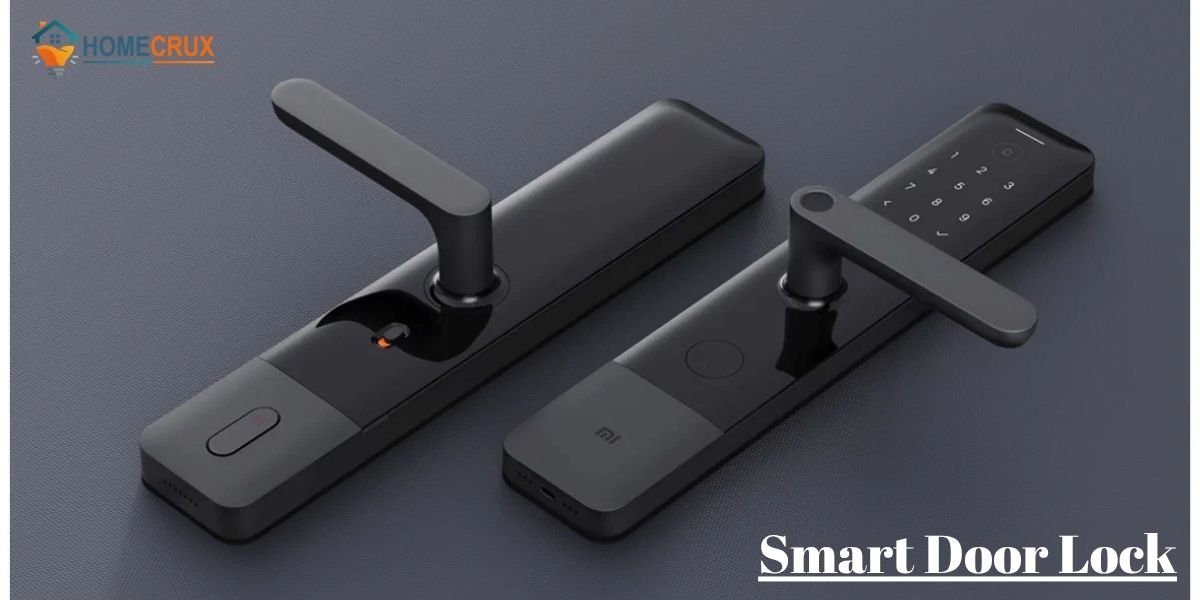
A smart door lock is a motorized deadbolt that replaces the manual thumb-turn on the inside of your door with an intelligent actuator. It acts as the brain of your entryway. While the exterior hardware often retains a traditional appearance to avoid drawing unwanted attention, the interior is packed with encrypted logic and high-torque motors.
This device allows you to digitize your access. By using a keyless door lock, you are trading a physical object for a secure digital credential. Whether that is a fingerprint, a PIN, or a secure token on your smartphone, the lock only moves when it is 100% certain of the operator’s identity.
How Smart Door Locks Work
These locks operate on a Digital Handshake protocol. When you approach the door, the lock wakes up and scans for an authorized signal. Now a days, most top-tier models utilize Matter over Thread technology. This is a massive leap forward because it allows your lock to talk directly to your Apple, Google, or Amazon hub without needing a separate, clunky bridge.
Once the signal is verified through 128-bit AES encryption—the same level used by international banks—the internal motor slides the bolt. High-quality brushless motors can now retract a heavy deadbolt in less than 1.5 seconds. It is a silent, powerful transition that feels like the door is opening for you, rather than you forcing the door.
Helpful Information: Matter over Thread is the 2026 gold standard. Unlike Wi-Fi, which drains batteries in months, Thread creates a mesh network that uses minimal power while providing “instant-on” responsiveness.
Types of Smart Door Locks
Keypad Smart Locks
These are reliable workhorses for families. You don’t have to worry about your kids losing a $300 smartphone; they just need to remember a four-digit code. Modern electronic door locks now feature “capacitive” touchscreens that don’t show wear patterns, preventing burglars from guessing your code based on smudge marks.
Bonus Tip: Always set up a “Master Code” that only you know, and issue “User Codes” to everyone else. This allows you to delete a specific person’s access without changing the entire system.
Fingerprint Door Locks
A fingerprint door lock is the ultimate solution for those who always forget their keys. Using 3D biometric sensors, these locks scan the sub-layers of your skin to ensure the print is real. It is the fastest way to enter a home, often recognizing an authorized user in just 0.3 seconds.
WiFi Smart Door Locks
A smart door lock with WiFi is designed for the remote manager. If you frequently need to let people in while you are away, this is your best bet. You can check the status of your bolt from a different continent. However, be prepared to swap batteries more often, as Wi-Fi radios are notorious for high power consumption.
Bluetooth Smart Locks
Bluetooth is the energy-saver of the lock world. It only wakes up when you are within 30 feet of the door. This preserved battery life can often push a single set of AA batteries past the one-year mark. While it lacks the long-distance reach of Wi-Fi, it is incredibly stable for local, proximity-based unlocking.
Biometric Door Locks
The newest category for 2026 is palm vein recognition. Instead of scanning the surface of your skin, these locks use infrared light to “see” the unique map of veins inside your hand. This is almost impossible to forge and works even if your hands are dirty or you are wearing thin gloves. It is a touch-free, high-security miracle for the modern front door.
Retrofit Smart Locks
If you are a renter or live in a building with strict aesthetic rules, a retrofit lock is your only choice. These install over the existing interior hardware, leaving the outside of the door untouched. You get all the smart features—like auto-unlock and activity logs—without ever needing to change your original keys.
Helpful Information: If you live in an area with high humidity or extreme cold, avoid “all-touchscreen” models. Physical buttons or biometric scanners are much more reliable when your fingers are wet or you are wearing gloves.
Key Features to Look for in a Smart Door Lock
Remote Unlocking
This allows you to grant entry to a delivery person or a friend from your phone regardless of your location. However, you must ensure your Wi-Fi signal is strong at the front door for this to work reliably, or utilize a dedicated bridge.
Temporary Access Codes
Logic-based scheduling allows a specific code to work only during certain hours. This is perfect for a cleaning service that visits every Tuesday morning or a dog walker who needs mid-day access.
Activity Logs and Security Alerts
A digital “paper trail” records every instance the door was accessed. Modern locks send a push notification if the door is left ajar, if a specific user arrives, or if someone tries to tamper with the keypad.
Auto-Lock and Auto-Unlock
Using Geofencing technology, your lock senses when you have left the home radius and automatically engages the deadbolt. It can also sense your return and unlock as you approach the porch, which is a lifesaver when carrying groceries.
Smart Home Integration
The lock should communicate with your broader ecosystem. For example, it can turn on your hallway lights, adjust the thermostat, and disarm the alarm the moment you walk through the door.
Benefits of Installing a Smart Lock for Home Security
Installing a digital door lock provides more than just convenience, it offers bank-grade security that addresses modern vulnerabilities.
- Elimination of Key Risks: You no longer need to hide a physical spare key under a doormat or flowerpot—classic entry points for burglars.
- Granular Access Control: You can revoke digital access instantly if a phone is lost or a service contract ends.
- Enhanced Monitoring: Real-time push notifications alert you to every entry, giving you a detailed audit trail of who is in your home.
- Automated Safety: Auto-locking features ensure your home is never left vulnerable because someone forgot to turn the bolt.
- Increased Property Value: Smart security is a high-demand feature for 2026 homebuyers, increasing the “tech-ready” appeal of your listing.
10 Tested Smart Door Locks and Their Features Explained
#1 Yale Assure Lock 2 Touch
The Yale Assure Lock 2 Touch ($299) utilizes a highly accurate biometric scanner located on the logo. It solves the “battery anxiety” problem by including a 9V terminal on the bottom for emergency power if the AA batteries die.
This lock features Modular Connectivity, allowing you to swap out internal modules for Wi-Fi, Z-Wave, or Matter. This makes it a future-proof investment as your home ecosystem evolves. For best results, use lithium batteries to extend the life of the motor during cold winters.
#2 Kwikset Halo Select
The Kwikset Halo Select ($275) is built for universal compatibility, supporting Matter over Thread for faster response times. It includes a built-in sensor in the strike plate that detects if the door is actually closed before attempting to lock.
Its standout feature is SmartKey Security, which allows you to re-key the physical lock yourself in seconds. This is a vital tip for new homeowners: you can match this smart lock to your existing Kwikset house keys without hiring a locksmith.
#3 Schlage Encode Plus
The Schlage Encode Plus ($320) is the authoritative choice for the Apple ecosystem. It features a Grade 1 ANSI rating, meaning it provides the highest level of physical resistance against kicks and prying among residential locks.
It supports Apple HomeKey, allowing you to tap your Apple Watch or iPhone to the lock like a credit card. Even if your iPhone’s battery dies, the “Power Reserve” feature allows the HomeKey to work for up to five hours afterward.
#4 August Wi-Fi Smart Lock (4th Gen)
The August Wi-Fi Smart Lock ($199) is the premier retrofit choice. It attaches to your existing interior deadbolt hardware, which means the exterior of your door remains unchanged—perfect for historic homes or apartments.
It uses DoorSense technology to prevent the motor from firing when the door is ajar. Expert Tip: If you experience connectivity drops, ensure your 2.4GHz Wi-Fi signal is strong at the door, as its compact size means a smaller internal antenna.
#5 Nuki Smart Lock 3.0 Pro
Commonly used for European-style cylinders, the Nuki 3.0 Pro (€279) features a quiet brushless motor and a built-in rechargeable Power Pack. It effectively eliminates the need for disposable batteries.
The lock uses Power Management Logic to adjust its torque based on the resistance of your lock. To maximize efficiency, calibrate the lock while the door is closed to ensure the motor doesn’t overwork against a misaligned strike plate.
#6 Ultraloq U-Bolt Pro
The Ultraloq U-Bolt Pro ($249) offers six different ways to enter, including a 360-degree biometric scanner. Its hardware is IP65 rated, ensuring it functions in extreme temperatures ranging from -22°F to 149°F.
The Anti-Peep Keypad is its best security feature; you can enter any number of random digits before or after your actual code to prevent observers from learning your PIN. It is a rugged, “industrial-grade” choice for exposed front doors.
#7 Wyze Lock Bolt
The Wyze Lock Bolt ($80) is the most logical budget-friendly option. It removes the physical keyhole entirely, which inherently makes it pick-proof. It communicates via local Bluetooth to preserve battery life for up to a full year.
Because it lacks Wi-Fi, you cannot unlock it from work, but it does allow you to generate Offline Access Codes. This is a great tip for emergency situations where you need to give a neighbor entry without having a bridge installed.
#8 Level Lock+
The Level Lock+ ($329) is a masterclass in Invisible Engineering. The entire smart mechanism is contained inside the bolt, making it look exactly like a standard mechanical lock.
It is 62% smaller than most competitors and holds a Triple-A BHMA rating for security, durability, and finish. If you prioritize high-end interior design over visible tech, this is the only lock that won’t disrupt your home’s aesthetic.
#9 Eufy Security Smart Lock Touch
The Eufy Smart Lock Touch ($250) focuses on speed, recognizing fingerprints in just 0.3 seconds. It uses an AES-256 bank-grade chip to store your biometric data locally rather than on a server.
The lock features a built-in 10,000 mAh rechargeable battery. Maintenance Tip: The lock will send a notification to your phone when the battery hits 10%, giving you plenty of time to plug in a portable power bank for a quick top-off.
#10 Samsung SHP-DP609 Smart Lock
The Samsung SHP-DP609 ($899) uses a Push-Pull handle design that is much easier to operate than a traditional lever. It is a high-security mortise lock designed for modern high-rises and custom luxury homes.
It features an Intruder Prevention Alarm that triggers if someone operates the lock from the inside while you are away—a sign of someone trying to escape your home after entering through a window. It is the gold standard for comprehensive apartment security.
Smart Door Lock Installation Guide
A successful smart lock installation requires a stable architectural foundation. If your door requires you to lift the handle or push the frame to get the lock to turn, the smart motor will fail. You must fix the door alignment before installing the hardware.
- Check Compatibility: Ensure your door thickness is standard (usually 1-3/8″ to 1-3/4″) and your backset is either 2-3/8″ or 2-3/4″.
- Remove Old Hardware: Unscrew the interior and exterior plates of your existing deadbolt and remove the latch.
- Install the New Latch: Slide the smart latch into the door edge. Ensure the “UP” arrow is facing the ceiling.
- Mount the Exterior Plate: Feed the data cable through the bore hole under the latch and align the exterior keypad.
- Attach the Interior Mounting Plate: Secure the exterior half by screwing the interior plate into place. Do not over-tighten, as this can warp the hardware.
- Connect the Data Cable: Plug the cable into the interior motor assembly. Ensure the “tuck” is neat to avoid pinching wires.
- Secure the Interior Assembly: Mount the motor housing and insert the batteries.
- Calibrate: Follow the app instructions to let the lock “learn” the distance of the door frame.
Helpful Information: Always replace the strike plate’s 1-inch screws with 3-inch hardened steel screws. This simple change anchors the lock into the house’s wall studs, preventing the door from being kicked in regardless of how “smart” the tech is.
Smart Lock vs Traditional Lock
The core difference lies in Active Intelligence. A traditional lock is a passive barrier that cannot communicate its status or history. While cheaper initially, traditional locks represent a higher long-term risk due to lost keys and the inability to monitor access remotely.
Feature Comparison
| Feature | Smart Door Lock | Traditional Lock |
| Access Method | PIN, Biometric, App, Key | Physical Key Only |
| Remote Control | Yes (via Wi-Fi/Bridge) | No |
| Activity Logs | Digital History Available | No Tracking |
| Auto-Locking | Automated via Sensor | Manual Only |
| Security Risk | Hacking (Mitigated by Encryption) | Key Duplication/Picking |
How to Choose the Best Smart Door Lock
Selecting the right hardware is a balance of your home’s fundamentals and your family’s habits.
“True security is not found in the complexity of the code, but in the reliability of the mechanical bolt it controls.”
- Check your ecosystem: Does it work with Matter, Apple HomeKey, or Google Home?
- Evaluate the Power Source: Do you want rechargeable packs or standard AA batteries?
- Consider the User: Biometrics are better for the elderly; keypads are great for school-aged children.
Selection Checklist
- Does the lock have a physical key backup?
- Is the hardware ANSI Grade 1 or Grade 2 certified?
- Does the app provide real-time push notifications?
- Is there an emergency power terminal (9V or USB-C) on the exterior?
- Does it support temporary guest codes?
A smart lock is an investment in your daily peace of mind. By choosing a model that integrates with your lifestyle, you are not just upgrading a door; you are re-engineering the way you interact with your sanctuary.
Frequently Asked Questions About Smart Door Locks
Can smart door locks be hacked?
While any connected device has theoretical vulnerabilities, top-tier smart locks use AES-256 bank-grade encryption. It is significantly harder and more time-consuming to hack a modern smart lock than it is to pick a traditional mechanical tumbler.
What happens if my phone dies or I lose it?
Most smart locks include a physical key backup or a keypad. If you lose your phone, you can log into your account from another device and instantly revoke the “Digital Key” associated with the lost phone to maintain security.
How long do the batteries actually last?
In a standard household (10 entries per day), high-quality AA batteries last between 6 to 12 months. Models using Wi-Fi drain faster, while those using Bluetooth or Matter-over-Thread offer much longer longevity.
Do I need a professional to install a smart lock?
Most smart locks are designed for DIY installation and only require a Phillips screwdriver. However, if your door is made of metal or has non-standard bore holes, a professional locksmith might be necessary for proper alignment.
Will the lock work if my Wi-Fi goes out?
Yes. The lock’s primary functions (keypad and fingerprint) work locally. You will only lose remote features—like checking the status from your office—until the internet is restored.
Can I use a smart lock on a rental property?
Yes, using a Retrofit Lock like the August Wi-Fi Smart Lock. It replaces only the interior thumb-turn, allowing the landlord to still use the original master key while giving you full smart access.
Is it safe to use auto-unlocking?
Auto-unlock uses Geofencing. It only triggers when you leave a large radius (e.g., 200 meters) and then return. It is very safe, as the lock will not trigger just because you walked past the door from the inside.