For years, a house was simply a structure of bricks and mortar designed to shield you from the elements. But now in 2026, your home is no longer a static object. It is becoming a responsive environment that understands your habits and anticipates your needs.
Whether it is adjusting the climate as you pull into the driveway or securing every entry point with a single voice command, an automated home transforms from a mere building into an active participant in your daily life.
You likely already carry the most important component of this system in your pocket. Your smartphone is the universal remote and the primary gateway into the world of smart living.
While the idea of a fully autonomous house can feel like science fiction, it is now a practical reality. Depending on your budget and technical goals, you can start with a few simple gadgets or scale up to a high-intelligence ecosystem.
If you have already started planning your upgrade, the next logical step is understanding the mechanics behind the curtain. To build a system that actually works without constant troubleshooting, you need to know which devices to purchase and how they interact.
Let’s start by understanding how home automation works and what level of automation will be perfect for your specific requirements.
How Does Home Automation Work?
At its foundation, home automation is about communication. Every smart device in your home acts as either a sender or a receiver of data. For this to work, you need a network (usually your home Wi-Fi) and a way to issue commands.
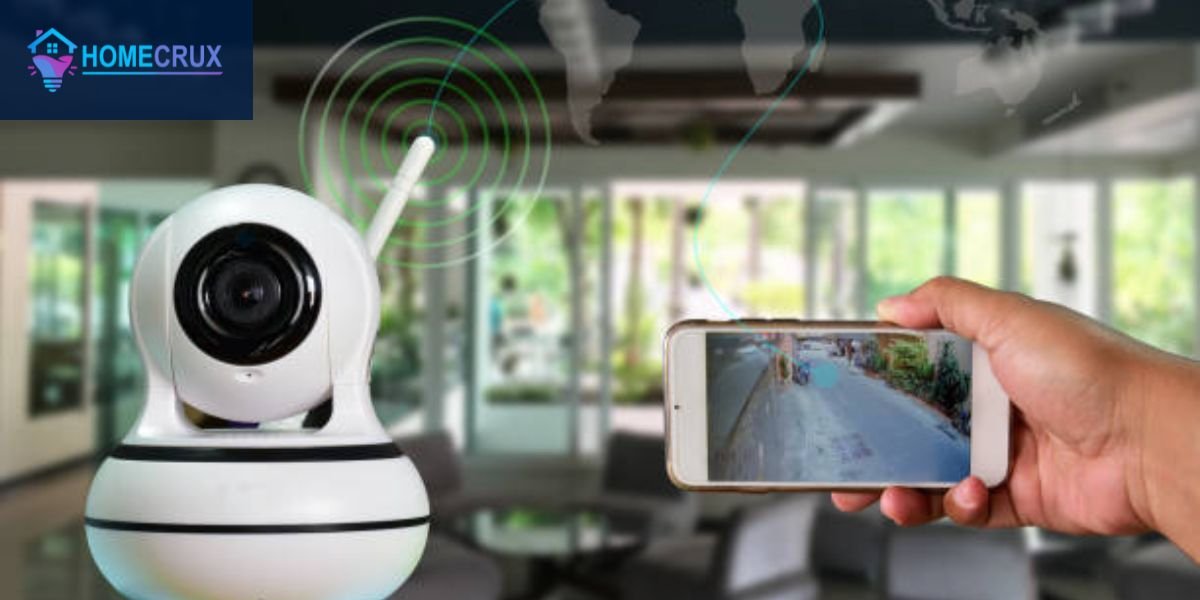
In a typical setup, a central controller or a smartphone app acts as the commander. When you tell your phone to dim the lights, it sends a digital signal through your router to the smart bulb. Some systems use dedicated sensors to trigger these actions automatically.
For example, an occupancy sensor (like the Ecobee SmartSensor) detects movement in a hallway. It immediately tells the light switch to flip to the ON position. By linking these devices together, you create a web of if-this-then-that logic that removes the need for physical switches.
Understanding Different Levels of Home Automation Systems
Not every smart home needs to be complex. Most professionals categorize installations into four distinct levels based on their capabilities and the technical infrastructure required.
Basic Automation: Single-Task Systems
This is the entry point for most homeowners and is perfect for beginners who want to test the waters without a heavy financial commitment. These systems focus on isolated tasks.
A common example is a single smart plug (such as the TP-Link Kasa) used to schedule a coffee maker. You might also use a pair of smart bulbs controlled via a mobile app.
At this level, devices usually connect directly to your Wi-Fi and do not talk to each other. You might have one app for your lights and another for your camera.
While it is the most budget-friendly option (often costing less than $100 to start), the downside is managing multiple platforms. It solves specific problems but it is not a whole-home solution.
Intermediate Automation: Multi-Device Integration
The intermediate level is where the magic of a connected home begins. Here, you introduce a central hub or a unified platform like Apple Home, Google Home, or Amazon Alexa. Instead of isolated gadgets, your devices start working together.
In this setup, a single trigger can control multiple brands. For example, when you lock your August Smart Lock at night, the system can automatically tell your Philips Hue lights to turn off. It can also prompt your Nest Thermostat to enter eco-mode.
Adding these additional automation features requires more planning and a slightly higher budget (typically $500 to $2,000), but it centralizes everything into one interface.
Advanced Automation: Smart Home Ecosystem
Advanced automation is designed for those who want a seamless, high-performance environment. This level often involves professional-grade hardware and specialized communication protocols like Zigbee or Z-Wave. These protocols are more stable than standard Wi-Fi because they create a mesh network where every device strengthens the signal of the next.
At this stage, you are automating entire subsystems like whole-home audio, integrated security, and motorized blinds. You will often see dedicated touchpanels and deep integration with smart hubs like the Hubitat Elevation.
For this level of home automation, a robust network and often a professional installer is a mandatory to avoid any error.
AI-Based and Predictive Automation: The Future Level
We are now entering an era where you don’t even have to issue commands. Predictive automation uses Machine Learning to study your behavior. If the system notices that you always dim the lights and turn on the TV at 8:00 PM on Fridays, it will eventually start doing it for you.
Also, by using advanced sensors such as air quality monitors or multi-sensors, and AI-driven hubs, the house monitors variables like outdoor sunlight intensity. It can even use your location to adjust the environment. It is the most technically demanding level, representing the peak of modern living where the house truly thinks for you.
Components of Home Automation System — Core Setup
A reliable smart home is not just a collection of gadgets. It is a carefully layered infrastructure. If one layer is weak, the entire experience can become frustrating.
Network and Connectivity — Foundation of the System
This is the most critical part of your setup. Without a robust data path, your devices cannot communicate. Most modern systems rely on a mix of high-speed internet and specialized frequencies to keep everything synced.
To set up a stable network and connectivity environment, the following hardware is usually required:
- High-Performance Router: A Wi-Fi 6 or Wi-Fi 7 router (like the ASUS ROG Rapture) ensures that dozens of devices can connect without slowing down your internet.
- Mesh Wi-Fi Nodes: Systems like TP-Link Deco or Eero eliminate dead zones in larger homes so every sensor stays online.
- Network Switch: This is used to hardwire stationary devices like cameras or hubs to reduce wireless congestion.
- Network Bridge: Some brands require a specific bridge (like the Philips Hue Bridge) to connect their bulbs to your router.
Central Control System — Brain of Automation
The central controller is the command center that processes your rules and schedules. It acts as a translator between different brands and technologies.
The devices included in a central control setup typically include:
- Dedicated Smart Hub: Hardware like the Samsung SmartThings Station or Hubitat Elevation that connects Zigbee and Z-Wave devices.
- Local Automation Controllers: Advanced users often use a Raspberry Pi or Intel NUC running Home Assistant for maximum privacy and local control.
- Matter Controller: Newer devices (like the Apple TV 4K or Google Nest Hub) act as Matter controllers to unify different brands under one standard.
Smart Switches and Relays — Control Layer
This layer bridges the gap between traditional electrical systems and modern automation. It allows you to control standard ceiling fans or porch lights through your smart network.
To manage the control layer, you may need:
- Smart In-Wall Switches: These replace your existing wall switches (like Lutron Caseta) to make any light fixture smart.
- Relay Modules: Small devices like Shelly or Sonoff relays can be hidden behind your existing outlets to automate them invisibly.
- Smart Plugs: Simple plug-and-play adapters (like the Eve Energy) that turn any outlet into an automated power source.
Sensors — Automation Intelligence
Sensors are the eyes and ears of your home. They provide the intelligence by feeding real-time data into your central hub. This allows the house to react to the environment without human intervention.
Sensors commonly used in advanced home automation include:
- Motion and Occupancy Sensors: These trigger lights or alarms when they detect movement (like the Philips Hue Motion Sensor).
- Contact Sensors: These are placed on doors and windows to notify you if they are left open.
- Environmental Sensors: These track temperature, humidity, and air quality (like the Eve Room).
- Light Level Sensors: Also known as lux sensors, these detect how much sunlight is entering a room to trigger motorized blinds.
- Water Leak Detectors: Placed under sinks or near water heaters (like the Govee Water Alarm) to prevent flood damage.
Security and Safety Devices — Protection Layer
This layer is focused on keeping your family and property safe. It integrates visual monitoring with active deterrents and life-saving alerts.
Essential protection devices include:
- Smart Video Doorbells: Devices like the Ring Video Doorbell or Google Nest Doorbell show you who is at the door from anywhere.
- Smart Smoke and CO Detectors: These send alerts to your phone if they detect fire or carbon monoxide (like the Nest Protect).
- Smart Fire Extinguishers and Monitors: Some advanced systems include thermal cameras or fire suppression monitors that alert you to heat spikes before a fire starts.
- Smart Sirens: High-decibel alarms that can be triggered by your security system to scare off intruders.
Power and Backup — System Reliability
A smart home is useless if the power goes out. Reliability components ensure that your security and networking stay active during emergencies.
To maintain system reliability, consider:
- Uninterruptible Power Supply (UPS): Keeps your router and hub running during brief power flickers.
- Smart Power Strips: These allow you to monitor energy usage and shut down devices that are drawing vampire power.
- Backup Battery for Hubs: Some hubs have internal batteries to maintain local automations during a blackout.
Voice and App Integration — User Interaction Layer
This is how you actually talk to your house. It translates human language into machine commands.
User interaction components include:
- Smart Speakers and Displays: Devices like the Apple HomePod or Amazon Echo Show that listen for voice commands.
- Dedicated Control Tablets: Often wall-mounted (using an iPad or Samsung Tab) to serve as a permanent dashboard for the family.
- Smart Buttons: Physical triggers (like Flic buttons) that you can press to run a scene without using your phone.
Devices and Appliances You Can Automate
Automation is most effective when applied to the repetitive tasks of your daily life. By selecting the right appliances, you can shift from manual control to a home that manages itself based on your presence and the time of day.
Lighting Automation
Lighting is the cornerstone of any smart setup. It goes beyond simply flicking a switch. You can program your home to transition from cool, bright light in the morning to warm, amber tones in the evening to aid your sleep cycle. Using smart bulbs and strips from brands like Philips Hue or LIFX allows for millions of color combinations. Alternatively, smart dimmers from Lutron or Leviton provide smooth control for traditional fixtures. Many users now implement circadian lighting, which uses automated schedules to mimic natural sunlight throughout the day.
Climate Control Devices
Smart climate control is one of the few automations that pays for itself through energy savings. These devices learn your schedule and ensure the HVAC system only runs when someone is actually in the room.
- Smart Thermostats: The Google Nest or Ecobee Premium use remote sensors to balance temperatures across different floors.
- Smart AC Controllers: If you use window units or mini-splits, devices like Sensibo or Flair allow you to control them via Wi-Fi.
- Radiator Valves: For homes with boilers, smart valves (like Tado) allow you to set different temperatures for every single room.
Home Appliances
Modern kitchen and laundry appliances can now be integrated into your broader home ecosystem. This allows for better energy management and proactive maintenance alerts. Smart washers and dryers from LG or Samsung can notify your TV or phone when a cycle ends. You can also ensure your morning brew starts the moment your bedroom motion sensor detects you are awake by using smart coffee makers. For those looking at the high end, smart refrigerators like the Samsung Family Hub allow you to view the contents of your fridge while you are at the grocery store.
Entertainment Systems
Automating your media room creates a professional cinema experience without the need for multiple remotes. By grouping devices, a single command can prepare your entire viewing area.
Unified control often involves using a Broadlink or SwitchBot IR blaster to bridge the gap between old infrared remotes and your Wi-Fi network. For audio enthusiasts, systems like Sonos allow for multi-room audio that follows you as you move through the house. You can even automate your projector so that the screen lowers from the ceiling the moment the device is powered on.
Doors and Access Automation
Security and convenience converge at your entry points. Access automation allows you to monitor who comes and goes while providing keyless entry for family and trusted services.
- Smart Locks: The Schlage Encode or Yale Assure series allow for temporary guest codes and remote locking via your phone.
- Garage Door Controllers: Devices like Tailwind or myQ ensure you never have to turn the car around to check if the garage is closed.
- Smart Gates: For larger properties, automated gate controllers can be linked to your car’s GPS to open as you arrive.
Curtains and Interior Automation
Motorized window treatments help manage both privacy and interior temperatures. By automating your curtains, you can protect your furniture from UV damage and reduce the load on your air conditioner. Retrofit motors like the SwitchBot Curtain 3 can be attached to existing rods to make traditional curtains smart in minutes. If you are doing a full renovation, Lutron Serena or IKEA FYRTUR offer sleek, battery-powered shades that disappear into the window frame. For outdoor spaces, automated awnings can be programmed to retract automatically during high winds to prevent damage.
Advanced Security
A modern security setup is proactive rather than reactive. It uses artificial intelligence to distinguish between normal activity and potential threats, providing real-time peace of mind. High-resolution 4K cameras with AI person detection (like Eufy or Arlo) can distinguish between a stray cat and a delivery person. These often integrate with professional-grade DIY systems like Ring or Abode to trigger high-decibel sirens. In high-security setups, biometric access points using fingerprints or facial recognition can eliminate the need for physical keys or codes entirely.
Home Automation Installation Guide (Step-by-Step)
Following a structured workflow ensures that your devices actually work together as a cohesive unit rather than a collection of independent gadgets.
Step 1: Plan Your Home Automation Goals
Your first step is to evaluate your specific needs and budget. Before buying hardware, decide which level of automation fits your lifestyle. Are you looking for a Basic Automation setup to control a few lights or an Advanced Ecosystem that manages your entire property? Mapping out which rooms require smart features prevents overspending on unnecessary tech.
Step 2: Choose the Right Automation System (Wired vs Wireless)
You must decide between the reliability of a wired system and the flexibility of a wireless one. This choice often depends on whether you are renovating an existing home or building a new one.
| Feature | Wireless Systems | Wired Systems |
| Connectivity | Uses Wi-Fi, Zigbee, or Z-Wave. | Uses Ethernet (Cat6) or KNX cabling. |
| Installation | Easy for DIY (Plug and Play). | Requires professional wiring. |
| Stability | Can be prone to interference. | Extremely stable and fast. |
| Best For | Renters and existing homes. | New constructions and luxury estates. |
Step 3: Set Up Network and Connectivity
Your smart home is only as strong as your router. Ensure you have a Wi-Fi 6 or Mesh system in place. For high-bandwidth devices like 4K security cameras, use physical Ethernet cables where possible. This keeps your wireless airwaves free for smaller sensors.
Step 4: Install the Central Control Hub
Place your hub (like Samsung SmartThings or an Apple TV 4K) in a central location away from thick concrete walls or large metal objects. Once powered on, connect it to your router. This hub will act as the traffic controller for every command you send.
Step 5: Install Smart Devices and Switches
Begin the physical installation by replacing standard wall switches with smart dimmers and swapping old bulbs for smart LEDs. If you are installing smart locks, ensure the door alignment is perfect. For appliances, simply plug them into smart outlets and verify they have power.
Step 6: Configure Sensors and Automation Rules
This is where the house gets its intelligence. Use your hub app to create logic. For example, set a rule that if the contact sensor on the front door opens between 6:00 PM and 10:00 PM, the entryway lights should turn on automatically.
Step 7: Connect Everything to One App
Avoid jumping between several apps. Use a unified platform like Apple Home, Google Home, or Amazon Alexa to group your devices. This allows you to control the entire house from a single dashboard.
Step 8: Test and Optimize Your System
Walk through every room and trigger your sensors. Check if there is a delay between a motion trigger and a light turning on. If a device is slow to respond, it may need a signal repeater or a move to a less congested Wi-Fi channel.
DIY vs Professional Home Automation Installation
If you are technically inclined and building a system based on Wi-Fi or Matter, a DIY installation is a rewarding and budget-friendly path. You maintain full control over the configuration and can expand at your own pace.
For Advanced Automation or Wired Systems, professional installation is recommended. Experts handle complex electrical wiring and ensure network security. While it costs more upfront, professional help reduces the risk of system failure and provides technical support.
Pros and Cons of Installing Home Automation System
Pros of Home Automation System
- Unmatched Convenience: Control your entire environment from a single interface or through simple voice commands.
- Enhanced Security: Receive real-time alerts for leaks, fires, or intruders even when you are away from home.
- Energy Efficiency: Automated thermostats and lighting schedules significantly lower utility bills by eliminating waste.
- Increased Property Value: Modern buyers often pay a premium for homes that are already equipped with smart technology.
- Safety and Disaster Prevention: Sensors for water leaks or carbon monoxide can prevent catastrophic damage before it occurs.
- Accessibility: Smart features provide essential support for elderly individuals or those with mobility challenges.
Cons of Home Automation System
- Initial Investment: Setting up a comprehensive system requires a higher upfront cost compared to traditional appliances.
- Internet Dependency: Many cloud-based features and remote controls may fail if your internet connection goes down.
- Privacy and Security Risks: Connected devices require regular firmware updates to protect against potential digital breaches.
Final Verdict
The transition to a smart home is more than just a tech upgrade. It is a fundamental shift in how you interact with your living space. By following a structured installation plan from establishing a robust network to selecting the right central hub, you ensure that your home remains a helpful partner rather than a technical burden.
While the initial costs and setup time can be significant, the long-term benefits in security, energy savings, and daily convenience far outweigh the effort. Start with the essentials, prioritize Matter-compatible devices for future-proofing, and expand your ecosystem as your needs evolve.
Common Questions About Home Automation Installation
How much does home automation installation cost?
A basic DIY setup can start around $200 to $500. A mid-range whole-home system usually falls between $2,000 and $5,000, while luxury, professionally installed wired systems can exceed $15,000.
Can I install a home automation system myself?
Yes, most wireless devices are designed for DIY setup. If you can use a smartphone and a screwdriver, you can install smart bulbs, plugs, and battery-powered cameras. Always consult an electrician for in-wall wiring.
Do I need a strong internet connection for home automation?
A stable connection is vital, especially for video doorbells and cameras. For a seamless experience, a minimum speed of 25-50 Mbps is recommended. A Fiber connection is best for homes with over 50 connected devices.
What is the best system for beginners in home automation?
For most beginners, Amazon Alexa or Google Home paired with a few smart plugs and bulbs is the easiest entry point due to their intuitive apps and wide compatibility.
Are smart home devices compatible with each other?
To ensure compatibility, look for the Matter or Zigbee/Z-Wave logos on the packaging. Checking for badges like Works with is the best way to avoid buying incompatible hardware.
Can I expand my home automation system later?
Modern systems are modular. You can start with a Central Hub and one smart lock today, then add sensors and appliances months or years later without needing to restart the entire setup.