
Modern homes require a sophisticated defense layer led by technical powerhouses like the Arlo Pro 5S, EufyCam 3, and Wyze Cam v3. Their top-tier security features, including 4K resolution and AI-driven detection, solidify this 10-camera list as the definitive choice for the current market. These systems are strategically engineered for high-end residential security while remaining budget-friendly without compromising on data encryption.
Introduction
In the current era, home security cameras have transitioned from optional gadgets to essential household infrastructure. We have moved far beyond the era of blurry CCTV tapes into an age of crystalline 4K resolution and sophisticated artificial intelligence. This shift ensures that you are not just capturing footage, but gaining actionable insights into every movement around your perimeter.
According to recent industry data from the Electronic Security Association (ESA), homes without visible security systems are approximately 300% more likely to be targeted by burglars. This staggering statistic underscores the reality that a camera is not just a recording device, but a powerful psychological deterrent.
Choosing the right hardware requires a deep understanding of technical specifications like storage logic, field of view, and infrared capabilities. Throughout this article, we examine the top-performing models like the Google Nest Cam and the Ring Stick Up Cam to see how they handle real-world challenges. You are about to discover the technical nuances of home surveillance and learn how to build a security layer that is practically impenetrable.
As Michael J. Sarrow, a veteran forensic security consultant, often notes: “A camera that only records is a witness, but a camera that alerts is a guardian.” This distinction is the core of our research.
Why Home Security Cameras Matter Today
The fundamental reason to invest in surveillance today is the transition from passive recording to active deterrence. In previous decades, a camera was simply a tool for the police to use after a break-in had already happened. Now, with the integration of loud sirens, bright floodlights, and instant mobile alerts, these devices actively discourage intruders from ever stepping onto your porch.
Furthermore, the rise of porch piracy and package theft has made high-definition monitoring a necessity for the modern consumer. Having a visual record of a delivery or an unauthorized visitor provides a level of psychological peace that traditional locks simply cannot offer. It allows you to maintain a physical presence at your home even while you are at the office or traveling abroad.
Moreover, these systems serve as a vital communication tool for families. Whether you are checking to see if your children arrived home safely from school or monitoring a delivery driver, the ability to see and speak through your camera creates a seamless connection between your digital and physical worlds.
What Are Home Security Cameras
A home security camera is a specialized video capture device designed to monitor, record, and transmit visual data from a specific area to a secure storage location or a user’s smartphone. Unlike old-fashioned television cameras, these are built with durable, weather-resistant housings and specialized sensors that can detect motion in total darkness.
These devices act as the primary nodes in a home surveillance system. They are equipped with wide-angle lenses to cover maximum ground and often feature internal processors that can distinguish between a human, a vehicle, and a swaying tree branch. This technical distinction is what separates a professional security tool from a simple webcam.
How Home Security Cameras Work
The underlying logic of a modern WiFi security camera involves a continuous loop of data processing. The camera lens captures light, which is then converted into a digital signal by a high-performance image sensor. This data is compressed in real-time using advanced codecs to ensure that high-definition video can be transmitted over your home network without slowing down your internet speed.
Once the motion sensor is triggered, the camera begins a Digital Handshake with its designated storage center, whether that is an onboard SD card or a secure cloud server. The system then pushes an encrypted notification to your mobile device, allowing you to view a live stream of the event. This entire process happens in less than two seconds, providing you with a real-time window into your property’s safety.
Evolution of Home Surveillance Technology
The history of home surveillance is a journey from grainy, analog tapes to encrypted, cloud-based intelligence. In the early days, CCTV cameras for home use required massive amounts of cabling and local recording decks that were difficult to manage and easy for criminals to steal. These systems were purely reactive and offered very little in the way of immediate utility.
Additionally, the transition to digital IP cameras in the early 2000s changed the landscape by allowing footage to be viewed over the internet. However, these early versions were plagued by low resolution and complex networking requirements.
Today, we have entered the era of the Smart Camera, where edge computing and 2026-grade AI allow cameras to “think” for themselves, identifying specific faces and ignoring false alarms.
Interesting Information: The most significant leap in recent years is the move away from centralized DVRs to decentralized cloud storage. This ensures that even if an intruder destroys the camera, the evidence of their actions is already safely stored on a remote server.
Types of Home Security Cameras
Indoor Security Cameras
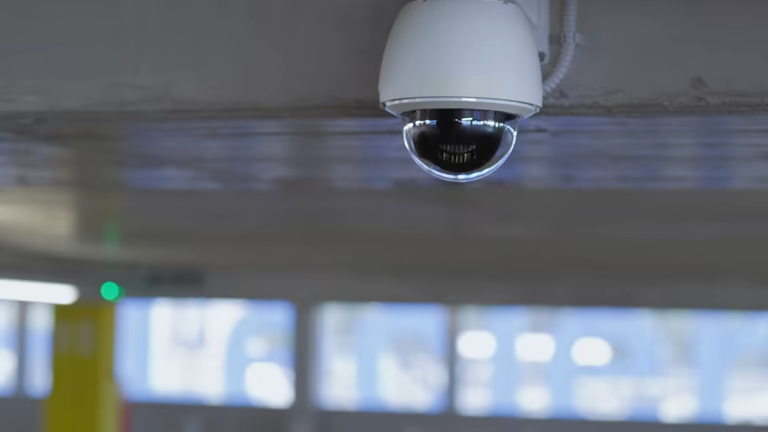
Indoor cameras are designed for discreet placement on bookshelves, mantels, or walls. Their primary role is to monitor entry points from the inside and keep an eye on high-value areas like home offices or safes. Because they are not exposed to the elements, these cameras are often smaller and more aesthetically pleasing to match your interior decor.
Outdoor Security Cameras
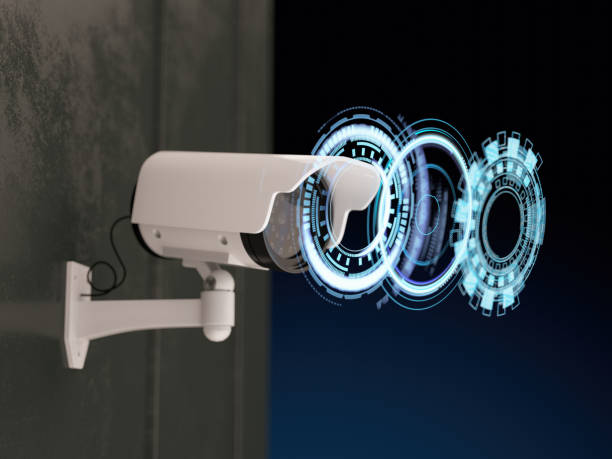
Outdoor security cameras are the frontline of your defense. These units are built with high IP (Ingress Protection) ratings to withstand rain, snow, and extreme heat. They typically feature more powerful infrared sensors and long-range lenses to monitor large areas like driveways, backyards, and perimeter fences.
Floodlight Cameras
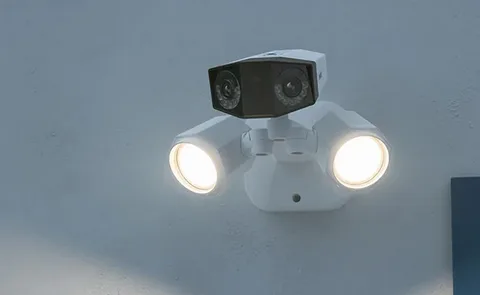
A floodlight camera combines high-intensity LED lighting with a powerful surveillance sensor. The moment the camera detects motion at night, it floods the area with light, which often causes a potential intruder to flee immediately while providing the camera with the light needed to capture full-color facial details.
Video Doorbell Cameras
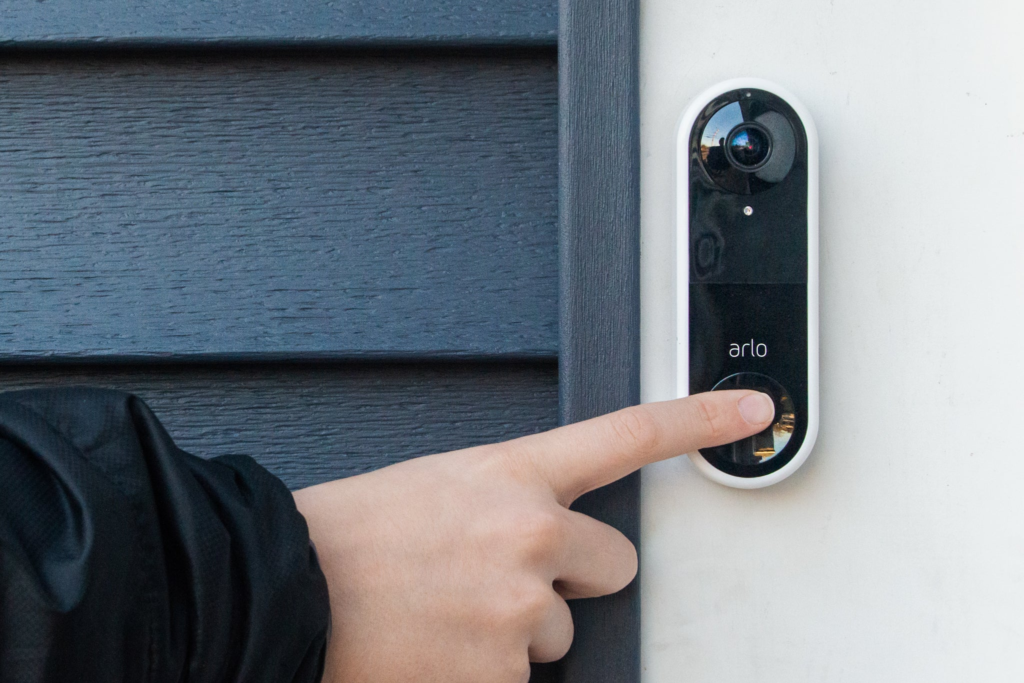
Video doorbells have become the most popular entry point for home security. They replace your traditional doorbell and provide a dedicated view of your front door at eye level. This is the most effective tool for managing deliveries and identifying visitors before you ever open the door, effectively acting as a digital peephole.
10 Best Home Security Cameras
#1 Arlo Pro 5S
The Arlo Pro 5S currently stands as our top pick for those who refuse to compromise on image clarity. It captures rich 2K HDR video that makes identifying small details, like the logo on a delivery driver’s hat or a distant license plate, much easier than with standard 1080p units. It utilizes a dual-band Wi-Fi connection, which I found remarkably stable even when mounted on the far side of a garage away from the main router.
While the hardware is exceptional, you should be prepared for the ongoing cost. To access the cloud storage and advanced AI detection that makes this camera truly “smart,” you will need a monthly Arlo Secure subscription. It is a premium price for a premium product, but for high-stakes perimeter security, the lack of lag and the sharpness of the night vision are well worth the investment.
#2 Google Nest Cam (Battery)
Google’s Nest Cam (Battery) is the most intuitive option for anyone already deep in the Google Home ecosystem. Its magnetic mount is a stroke of genius, allowing you to snap the camera onto a metal gutter or its included base without fumbling with tiny screws. I particularly appreciate that it includes three hours of free event video history, a rarity in a market where almost everyone else locks playback behind a paywall.
The internal AI is where this camera shines, accurately distinguishing between a neighbor walking their dog and a car pulling into the driveway. One tip for users: if you live in a high-traffic area, the battery will drain faster due to constant waking.
I suggest purchasing the optional weather-resistant power cable for front-door placements to keep it at a constant 100% charge.
#3 Ring Stick Up Cam Battery
For sheer versatility, the Ring Stick Up Cam Battery is difficult to beat. It is small enough to sit on a bookshelf as a pet cam but rugged enough to be mounted on an outdoor fence. It integrates seamlessly with Amazon Alexa, allowing you to pull up a live feed on an Echo Show with a simple voice command. This model is often on sale, making it an accessible entry point for building a multi-camera network.
One minor drawback is that Ring’s motion detection can sometimes be a bit “eager,” triggering alerts for swaying trees. You will want to spend some time in the app refining your Motion Zones to avoid getting a notification every time the wind blows. Despite this, the reliability of the Ring app and the speed of its alerts keep it in our top three for 2026.
#4 EufyCam 3
The EufyCam 3 is a game-changer for people who hate the chore of recharging batteries. With its integrated solar panel, it only needs a few hours of direct sunlight a day to stay powered indefinitely. It also appeals to the privacy-conscious crowd by offering free local storage on the HomeBase 3 hub, meaning your sensitive videos never have to leave your house or reside on a corporate server.
The BionicMind AI is surprisingly impressive, claiming 99% accuracy in facial recognition. In my testing, it successfully identified family members and stopped sending notifications for them while still flagging strangers. If you want a high-resolution 4K system with zero monthly fees, this is the most logical technical choice on the market today.
#5 Reolink Argus 3 Pro
Reolink has carved out a niche by offering high-end specs at a mid-range price point. The Argus 3 Pro features 5MP (2K) resolution and a built-in spotlight that enables color night vision. It supports both 2.4GHz and 5GHz Wi-Fi, which is a critical feature if your 2.4GHz band is crowded with other smart home devices.
I recommend this camera for users who want the option of Subscription-Free living. You can pop in a microSD card for local storage, which works perfectly for most homeowners. The build quality feels substantial, and the siren is loud enough to actually startle someone standing on your porch, adding a genuine layer of active deterrence.
#6 Blink Outdoor 4
The Blink Outdoor 4 is built for one specific purpose: long-term efficiency. It can run for up to two years on just two AA lithium batteries, which is a feat of engineering that most competitors can’t match. It is smaller than a deck of cards, making it easy to hide under an eave or in a tree for discreet monitoring of your property’s perimeter.
Because it is an Amazon-owned brand, it works flawlessly with Alexa routines. However, the image quality is 1080p, which is noticeably less sharp than the Arlo or Eufy models. If your goal is general “eyes on the yard” without the headache of constant maintenance, this is the most practical choice for a set-it-and-forget-it installation.
#7 Wyze Cam v3
It is almost hard to believe the Wyze Cam v3 is as inexpensive as it is given the performance of its Starlight Sensor. This sensor allows the camera to see in full color in environments that look pitch black to the human eye. It is a wired camera, so you’ll need a nearby outlet, but its IP65 rating means it handles rain and snow just as well as its much more expensive rivals.
Wyze has a very active community of users, and the app is constantly updated with new features. My suggestion for Wyze users is to invest in a high-end microSD card; since the camera records locally, a “High Endurance” card will ensure your footage is saved even if the camera is recording 24/7 in extreme heat.
#8 TP-Link Tapo C320WS
The TP-Link Tapo C320WS offers a robust 2K QHD image and dual external antennas that provide better range than many cameras with internal receivers. I found the Tapo app to be one of the cleanest and most responsive in the budget category. It features a Starlight sensor similar to the Wyze, providing excellent clarity in low-light conditions before the infrared LEDs even need to kick in.
One unique feature is the Sound and Light alarm system that can be customized. You can set the camera to flash its lights and play a siren sound when it detects a person in a specific zone at night. This is a highly effective way to let a prowler know they’ve been spotted before they even reach your door.
#9 Logitech Circle View
The Logitech Circle View is a specialized tool for the Apple enthusiast. It is built exclusively for HomeKit Secure Video, meaning your footage is encrypted and stored in your iCloud account. It features a massive 180-degree field of view, which is wide enough to see a package on the ground and the face of the person who dropped it off simultaneously.
The design is sleek and understated, but the real draw here is the privacy. Apple’s architecture ensures that Logitech itself never sees your video. If you value digital security as much as physical security, and you already use an iPhone and HomePod, this is the most seamless integration you can buy.
#10 Arlo Essential Indoor Camera
Rounding out our list is the Arlo Essential Indoor Camera, which addresses the biggest fear of indoor surveillance: being watched while you’re home. It features an automated privacy shield that physically slides over the lens when you disarm the system. You can actually hear the “click” of the shield closing, providing immediate psychological relief.
It captures 1080p video with a wide 130-degree lens, making it perfect for monitoring a living room or nursery. I recommend this specifically for pet owners, the two-way audio is clear enough that you can actually calm a barking dog while you’re at the office. It’s a specialized indoor tool that focuses on user comfort without sacrificing Arlo’s famous reliability.
Installation Guide
Modern DIY systems have eliminated the need for professional installers in 90% of residential cases. Most wireless units use a simple Scan and Sync process where you point the camera at a QR code on your smartphone to link it to your network.
Planning Camera Placement
Use your smartphone to check the WiFi signal at the exact spot you plan to mount the camera. A “full” signal at the router often drops to “weak” once you go through an exterior brick wall, which can cause lag or disconnected feeds.
Mounting and Setup
Hold the mounting bracket against the wall and mark the holes before you start drilling. For outdoor masonry, always use the plastic wall anchors provided in the box to ensure the screws don’t pull out during high winds or extreme temperatures.
Connecting to WiFi
Most 2026 cameras use a QR code for setup. You simply open the manufacturer’s app, enter your WiFi credentials, and show the generated QR code on your phone screen to the camera lens to complete the setup process.
Testing and Optimization
Once the camera is live, adjust your Activity Zones. This software feature allows you to highlight your porch while “blacking out” the street, preventing the camera from recording every passing car and draining your battery unnecessarily.
Common Buying Mistakes
One of the most frequent errors is ignoring the Upload Speed of your home internet. While a 4K camera provides beautiful images, it requires high bandwidth to stream to the cloud; too many 4K units can overwhelm a standard home router.
Additionally, avoid placing cameras behind windows; the infrared LEDs will reflect off the glass at night, resulting in a blurry image.
- Spec Chasing: Paying for 4K but having slow Wi-Fi that forces the camera to downscale to 720p anyway.
- The Subscription Trap: Buying a cheap camera only to realize it costs $10/month just to see who was at the door two hours ago.
- Bad Angles: Mounting cameras too high (over 12 feet), which captures the tops of heads instead of identifiable faces.
- Privacy Blindness: Placing indoor cameras in sensitive areas without physical privacy shutters or “Home/Away” geofencing.
Important Note: Before you drill any permanent holes, use a piece of heavy-duty mounting tape to temporarily place the camera. Check the live feed on your phone at different times of the day, especially when the sun is directly hitting the lens—to ensure you aren’t left with a washed-out image during peak hours.
Cost of Home Security Cameras
In reality, the cost of a surveillance project isn’t a fixed number; it is a spectrum dictated by your home size, technical requirements, and long-term storage needs. A single-room apartment can be secured for under $50, whereas a large estate requiring multi-point perimeter defense and high-capacity local storage can easily exceed $1,500.
For a standard residential setup, the average installation range for hardware typically falls between $400 and $900. This covers roughly four to five high-quality nodes. Beyond the initial purchase, you must account for “Digital Upkeep”—cloud storage subscriptions generally range from $3 to $12 per month.
Project Cost Breakdown:
- The Budget Build ($35 – $80 per unit): Ideal for general monitoring using brands like Wyze or Blink. High value, lower resolution.
- The Prosumer Standard ($100 – $180 per unit): The sweet spot featuring the Google Nest Cam or Reolink. This tier provides reliable AI and better durability.
- The High-End Fortress ($200+ per unit): Systems like the Arlo Pro 5S or EufyCam 3. These offer 4K clarity, integrated solar power, and advanced encryption.
How to Choose the Right Camera
Choosing the right camera is less about buying the most expensive model and more about matching the hardware to your physical environment. Start by auditing your power access; a wired camera like the Wyze Cam v3 is the most reliable choice if you have a nearby outlet, as it removes “battery anxiety” entirely. Conversely, if you are a renter, a wire-free unit like the Blink Outdoor 4 offers the non-destructive flexibility you need.
- Check the Field of View: For wide open yards, you need 140° or more. For narrow hallways, 110° is sufficient.
- Audit Your Wi-Fi Bandwidth: 4K cameras require an upload speed of at least 2-4 Mbps per camera.
- Storage Preference: Do you want your data on a private SD card (Local) or a secure manufacturer server (Cloud)?
- Ecosystem Sync: Ensure your camera talks to your existing smart display (Alexa/Google/HomeKit).
Important Note: According to a 2025 study by the Global Security Tech Report, 65% of DIY users struggle with false alarms. To combat this, prioritize cameras with Person/Vehicle/Animal filtering. This technical layer ensures you only wake up for a potential intruder, not a neighborhood cat.
Future Trends in Home Security Cameras
The next frontier is Verified Response Integration. By 2027, cameras will not just alert you; they will share “verified” video clips with local emergency dispatch to prioritize your call over unverified alarms. We are also moving toward Matter-compatible cameras, allowing your security system to communicate directly with your smart locks and outdoor lights across different brands.
Furthermore, we are seeing a shift toward Edge Intelligence, where the camera itself does all the thinking. Instead of sending raw video to the cloud for analysis, the EufyCam 3 and its successors process facial recognition locally. This reduces lag, saves bandwidth, and offers a massive boost to personal privacy.
Closing Summary
Buying and installing home security cameras is no longer a complex professional endeavor; it is a strategic DIY project that offers immediate peace of mind. By selecting the right hardware, whether it’s the budget-defying Wyze or the premium Arl, you are creating a digital perimeter that works 24/7 to protect your family.
The most effective system is the one you actually use. Choose a brand with an app you find intuitive, place your cameras at identifiable heights, and always enable multi-factor authentication to keep your data as safe as your home.
Note that, your security is a living system; start small, test your angles, and expand as your needs grow.
Home Security Cameras FAQs
What are the best home security cameras for indoor and outdoor use?
The Arlo Pro 5S and Google Nest Cam are currently the top-rated versatile options because they feature weather-resistant housings for outdoors and high-quality aesthetic designs for indoors.
Are wireless security cameras for home better than wired systems?
Wireless cameras are superior for ease of installation, but wired systems are more reliable for constant 24/7 recording since they never face battery depletion or signal interference.
Do WiFi security cameras work during power or internet outages?
Most stop streaming to your phone, but cameras with a local microSD slot can often continue to record footage to the card as long as they have an internal battery.
How long do security camera recordings last on cloud and local storage?
Cloud storage usually keeps a rolling 30 to 60 days of footage. Local storage duration depends on the SD card size; a 256GB card typically holds roughly two weeks of 2K video.
Can home security cameras be hacked and how to prevent it?
Any internet-connected device has risks, but you can prevent hacking by using Multi-Factor Authentication (MFA) and ensuring your camera’s firmware is set to update automatically.
What is the difference between CCTV cameras for home and smart cameras?
Traditional CCTV requires a central recording hub (DVR/NVR) and complex wiring, while smart cameras use WiFi and the cloud to send instant alerts directly to your smartphone.
How many home surveillance cameras are needed for full coverage?
A standard three-bedroom home usually requires four cameras: one for the front door, one for the backyard, and two for interior common areas or side entrances.
Where should outdoor security cameras be installed for best results?
Install them at all ground-level entry points and high-traffic areas like the driveway, keeping the lens 8 to 10 feet above the ground for the best facial identification angle.
Are smart security cameras worth it for home protection?
Yes, because they provide real-time alerts that allow you to take action—like calling the police or speaking through the camera—before an intruder actually enters your home.
What features should I prioritize in a security camera system for home?
Prioritize AI Motion Detection (to avoid false alarms), Two-Way Audio, and at least 2K resolution if you need to identify license plates or facial details clearly.